Extra points assignments
During the year, the course proposes extra-points projects on the NXP LPC1768 LANDTIGER board.
Projects are listed by academic year, newest first.
2026/27
Placeholder
Assignments for this year will be published here during the course. Stay Tuned! 🚀
2025/26 — Tetris
Christmas edition: the falling-blocks classic on a 20×10 grid, first in the emulator, then extended with speed control, power-ups, penalties and music. Using AI is allowed, but it is checked and the score is split accordingly.
| Part | Topic | Delivery |
|---|---|---|
| 1 | Playable Tetris: tetrominoes, drops, line clears, score (emulator, SW_Debug target) |
Fri 09/01/2026 |
| 2 | Potentiometer speed, power-ups, random malus lines, music | Thu 22/01/2026 |
Part 1 — Tetris
- Show the 20×10 playing field on the left, and score, high score and cleared lines on the right.
- The game starts paused with an empty grid; KEY1 starts it and then toggles pause/play.
- All 7 tetrominoes (I, O, T, J, L, S, Z) are stored in the global variable
tetrominocad_shape; a random one appears at the top each time the previous one is placed. - Pieces fall at 1 square/s; joystick LEFT/RIGHT moves, UP rotates 90° clockwise. Soft drop: holding DOWN doubles the speed to 2 squares/s. Hard drop: KEY2 drops the piece instantly.
- Completed lines are cleared and the rows above shift down. Scoring: 10 per placed piece, plus 100 × lines cleared, or 600 for a tetris (4 lines at once).
- The game is lost when a piece goes over the top or a new piece overlaps a block; the high score is kept and the game returns to the paused start state.
- Deliver
extrapoint1.zip(exact name, all source files inside the project folder), asetup.docxin PDF with the emulator configuration and AI-usage notes, and a 4-minute video with voice commentary.
Part 2 — Speed, power-ups, malus and music
- Must keep all Part 1 features. The emulator can be used, but the music part needs the real board.
- Speed: the potentiometer sets the fall speed from 1 square/s (0 V) to 5 squares/s (maximum); soft drop now doubles the current speed.
- Power-ups: every 5 cleared lines a random power-up replaces an existing block, drawn so it stands out, and activates when its line is cleared:
- Clear half the lines: removes the bottom half of the lines, scoring them in groups of 4 as normal clears.
- Slow down: forces 1 square/s for 15 s if the game is faster.
- Random malus: every 10 cleared lines a new line with 7 random blocks out of 10 pushes up from the bottom; overflowing the top loses the game.
- Music: sound effects and background music on the speaker (board only).
- Deliver
extrapoint2.zip(exact name).
2024/25 — Pac-Man
Recreate the 1980 Namco arcade classic on the LANDTIGER: first the maze and the game mechanics in the emulator, then a ghost with its own AI, music and CAN communication on the real board.
| Part | Topic | Delivery |
|---|---|---|
| 1 | Maze, pills, score, lives and countdown (emulator, SW_Debug target) |
Sun 12/01/2025 |
| 2 | AI ghost, sound, CAN bus — physical board required | Sun 19/01/2025 |
Part 1 — Pac-Man game
- Draw a labyrinth holding exactly 240 standard pills (keep the central box free), plus score, remaining lives and a countdown timer.
- 6 power pills replace standard pills at random positions and random times.
- The joystick sets Pac-Man's direction; he keeps moving until a new direction is chosen or he hits a wall. Side "teleport" tunnels wrap him to the opposite side.
- Standard pill = 10 points, power pill = 50 points; a new life every 1000 points (starting from 1).
- INT0 pauses/resumes (the game starts paused); the countdown starts from 60 s.
- Eat all pills → Victory! screen; countdown expires → Game Over! screen.
- Deliver
extrapoint1.zip(project + this document as PDF) and a 4-minute video with voice commentary of a debug session.
Part 2 — Ghost, sound and CAN
- Must keep all Part 1 features, running on the real LandTiger board (the emulator is not enough).
- Add Blinky, the red ghost, with two behaviours:
- Chase mode: pursues Pac-Man, getting faster and more aggressive as the game goes on; contact costs a life.
- Frightened mode: after a power pill it turns blue for 10 s and flees; eating it gives 100 points and it respawns in the central box after 3 s.
- Hint: a path-finding algorithm such as A* with a behaviour-dependent target.
- Use the speaker for sound effects and background music.
- Send score, lives and remaining time over CAN in external loopback (CAN1 transmits, CAN2 receives), packed in a 32-bit word: remaining time (8 bit) · lives (8 bit) · score (16 bit).
2023/24 — Quoridor
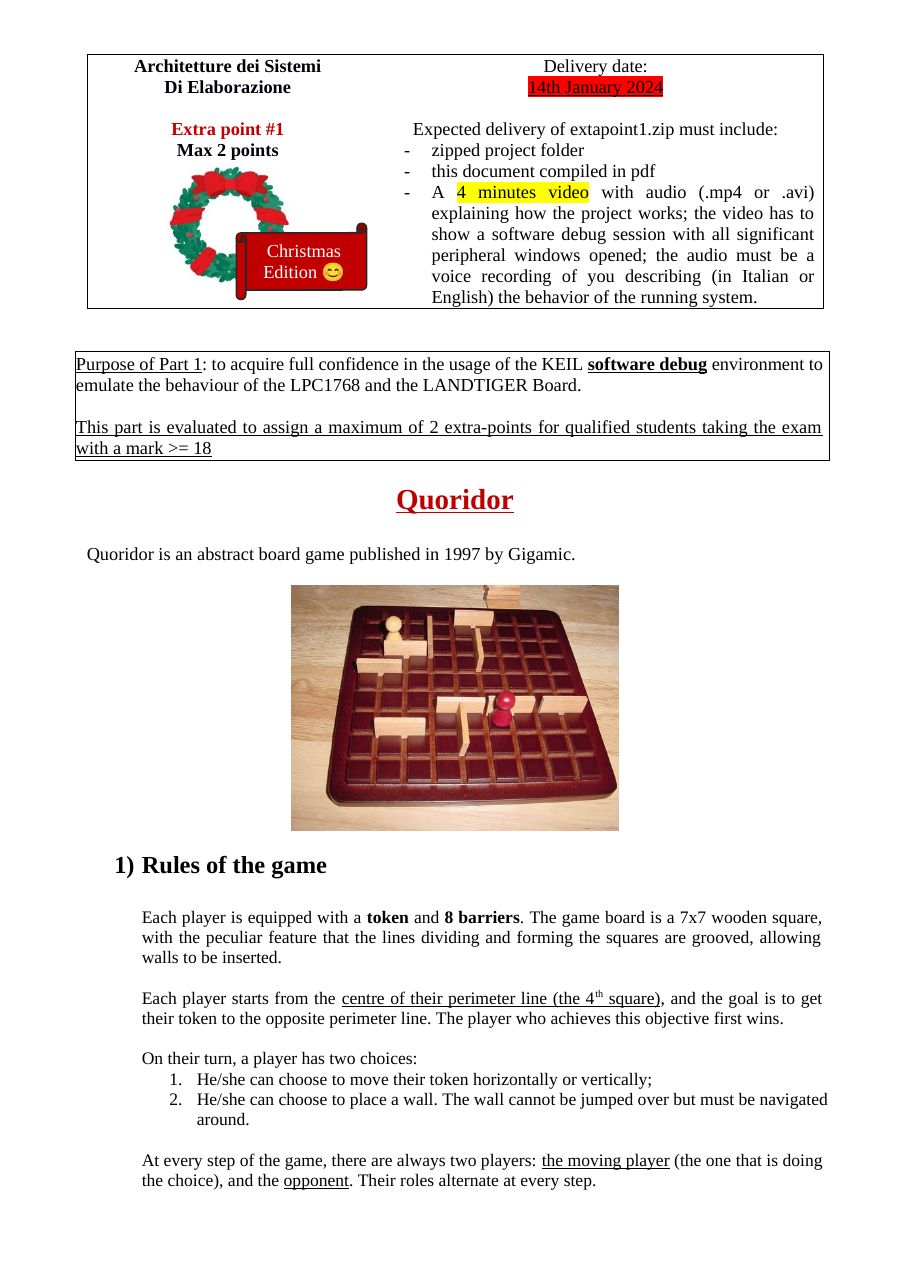
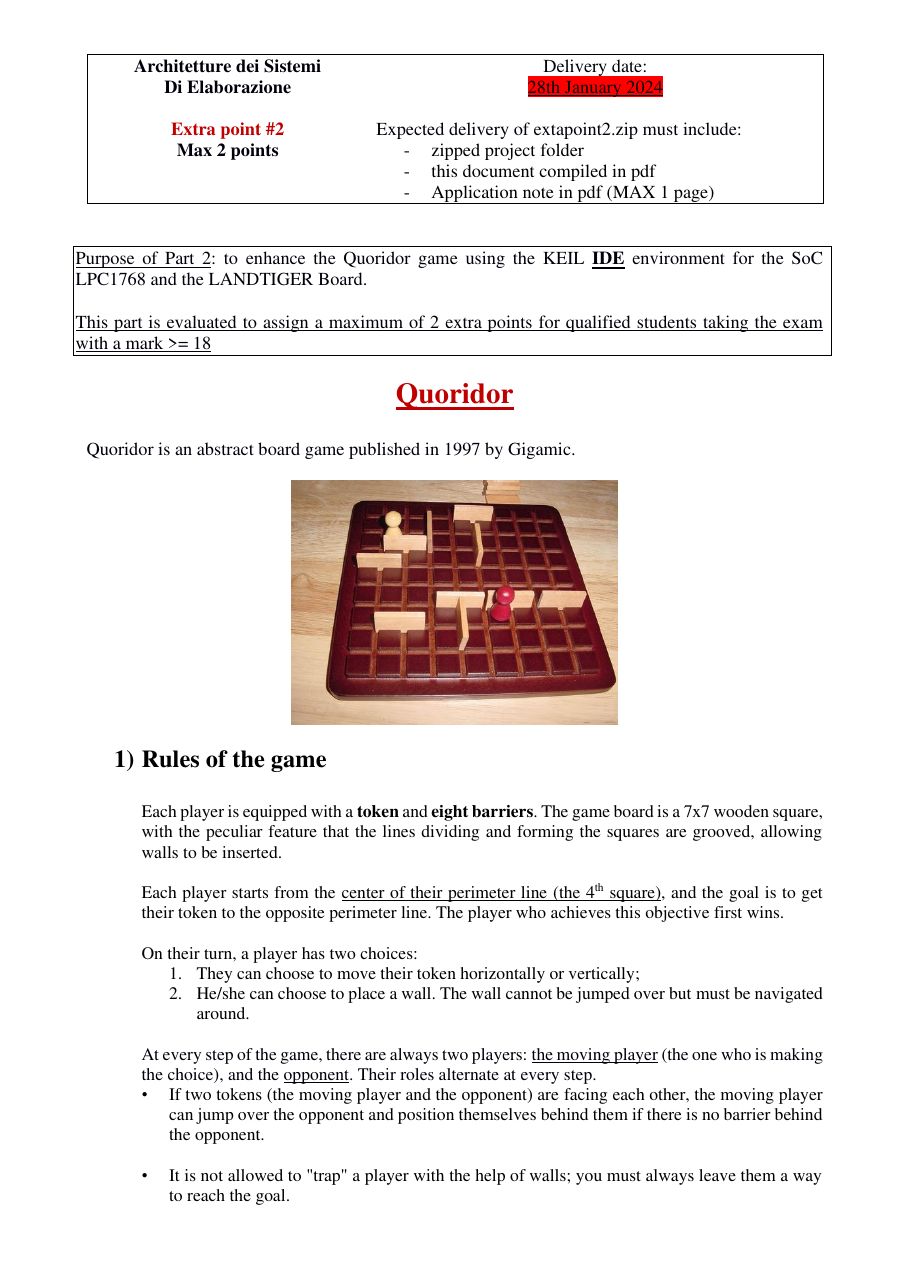
Implement the 1997 Gigamic board game on a 7×7 board: two players race to the opposite side while blocking each other with walls.
| Part | Topic | Delivery |
|---|---|---|
| 1 | Two-player Quoridor on one board | Sun 14/01/2024 |
| 2 | Multiplayer over CAN, AI opponent, game menu | Sun 28/01/2024 |
Part 1 — Quoridor
- Draw the 7×7 board and two tokens (white = player 1, red = player 2); each player has 8 walls.
- INT0 starts the match; each move must be made within 20 s, otherwise the turn is lost.
- Move mode: the 4 reachable squares are highlighted, the joystick chooses and SELECT confirms. Facing tokens can jump over each other.
- Wall mode: KEY1 toggles it, a wall (two squares long) appears in the centre, the joystick moves it, KEY2 rotates it 90°, SELECT places it. Players can never be fully trapped; with no walls left a warning is shown.
- Every move is stored in a 32-bit word: player ID (8 bit) · move/wall (4 bit) · vertical/horizontal (4 bit) · Y (8 bit) · X (8 bit). A timed-out turn is encoded as move = 0, orientation = 1.
- Deliver the project, this document as PDF and a 4-minute video with voice commentary.
Part 2 — Multiplayer, NPC and menu
- Complete the face-to-face rules (diagonal move when a wall is behind the opponent).
- Multiplayer: two LandTiger boards connected through CAN (same baud rate, proper ID filters), exchanging moves in the Part 1 32-bit format with a shared coordinate system. Must run on the real boards.
- NPC: an AI opponent that plays right after you and follows the rules (8 walls, one square per move) — better than random, e.g. decision trees; beware of recursion.
- Menu after INT0: Single board (vs. human or NPC) or Two boards; a handshake (e.g. player ID
0xFF) detects the second board, and an error is shown if it is missing. - Deliver the project, this document and a 1-page application note (PDF).
2022/23 — Tamagotchi
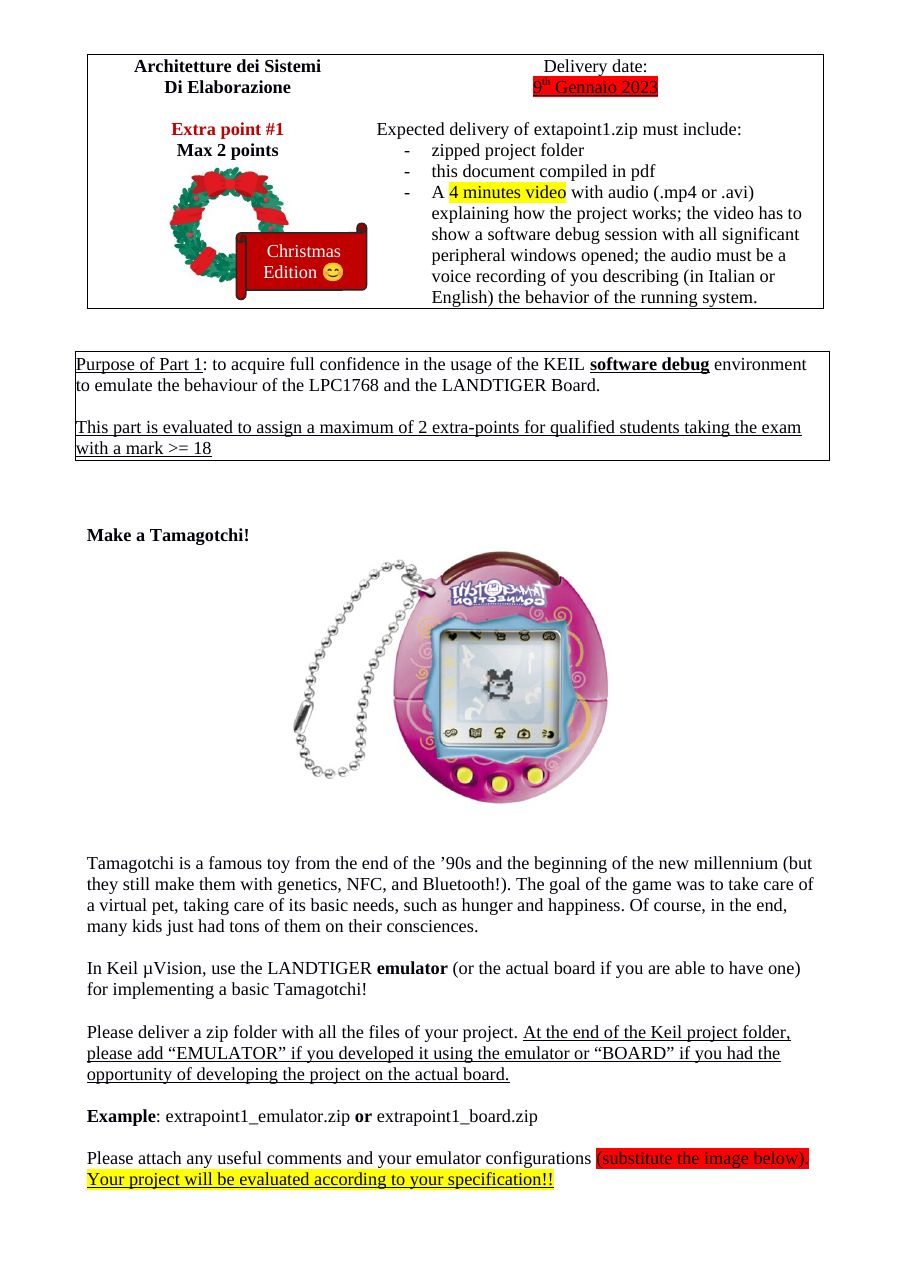
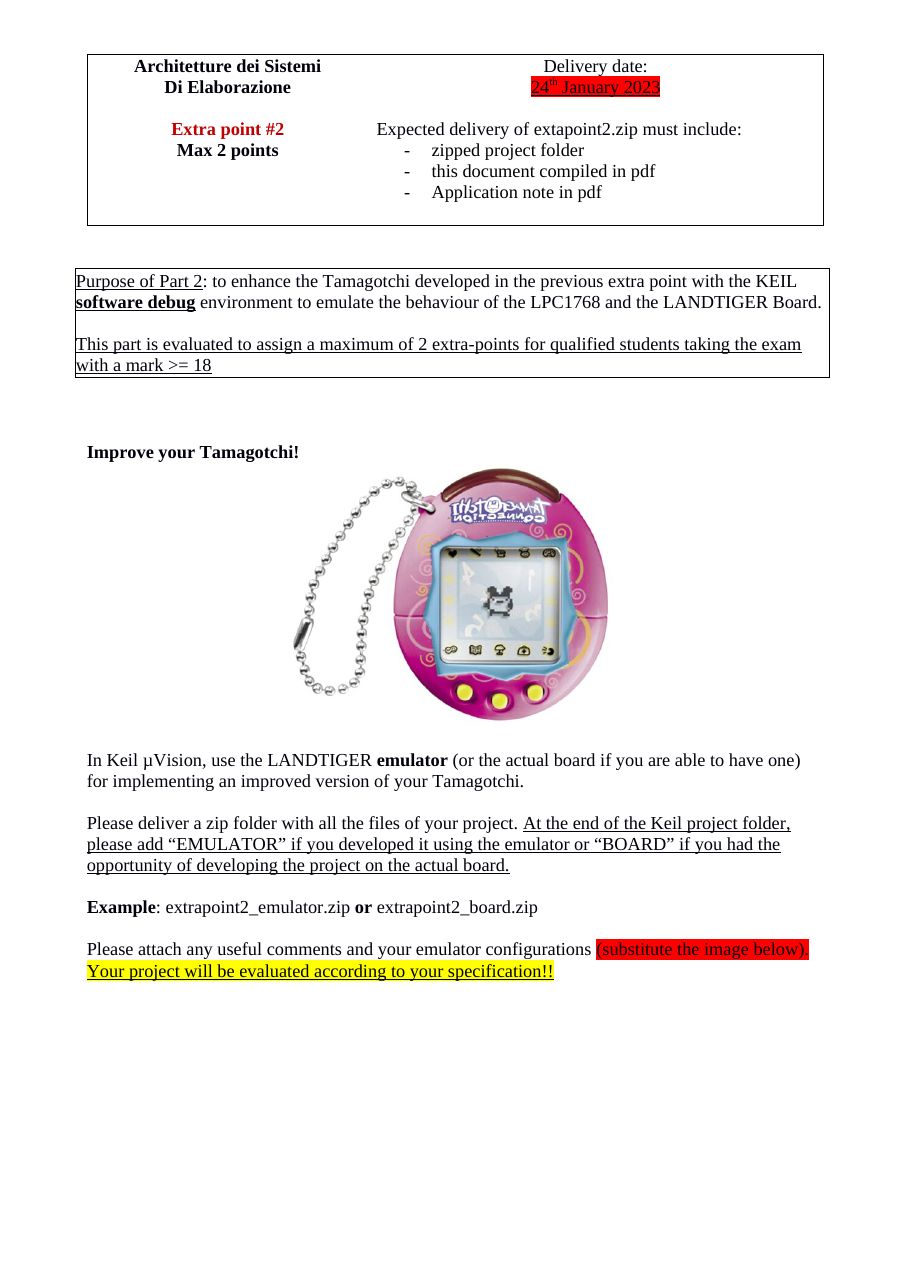
Christmas edition: build a virtual pet on the LANDTIGER display, then give it touch interaction and sound.
| Part | Topic | Delivery |
|---|---|---|
| 1 | Animated pet, status bar, food menu, run-away | Mon 09/01/2023 |
| 2 | Cuddles via touch screen, sounds, volume | Tue 24/01/2023 |
Part 1 — Make a Tamagotchi
- Draw your own pet in the middle of the LCD with an animation refreshed every 1 s.
- A status bar on top shows age (
hh:mm:ss), happiness and satiety; both decrease by one bar every 5 s. - A food menu at the bottom (joystick LEFT/RIGHT + SELECT): meal raises satiety, snack raises happiness. Eating shows the pet moving to the food, lasts at least 1 s, and blocks new selections.
- When happiness or satiety reaches zero the pet runs away (short animation, age stops, a message is shown); a reset button (SELECT) brings a new pet with full bars and age 00:00:00.
- Name the zip
…_emulatoror…_board; deliver the project, this document as PDF and a 4-minute video.
Part 2 — Improve your Tamagotchi
- Cuddles: touching the pet on the touch screen plays a 2-second animation and adds one happiness bar (touches elsewhere are ignored).
- Sounds for menu clicks, eating, running away and cuddles (a few notes each).
- Volume control from the potentiometer, sampled every 50 ms, with a speaker icon from mute to maximum.
- Deliver the project, this document and a 1-page application note (PDF) on one of the new features.
2021/22 — Pong
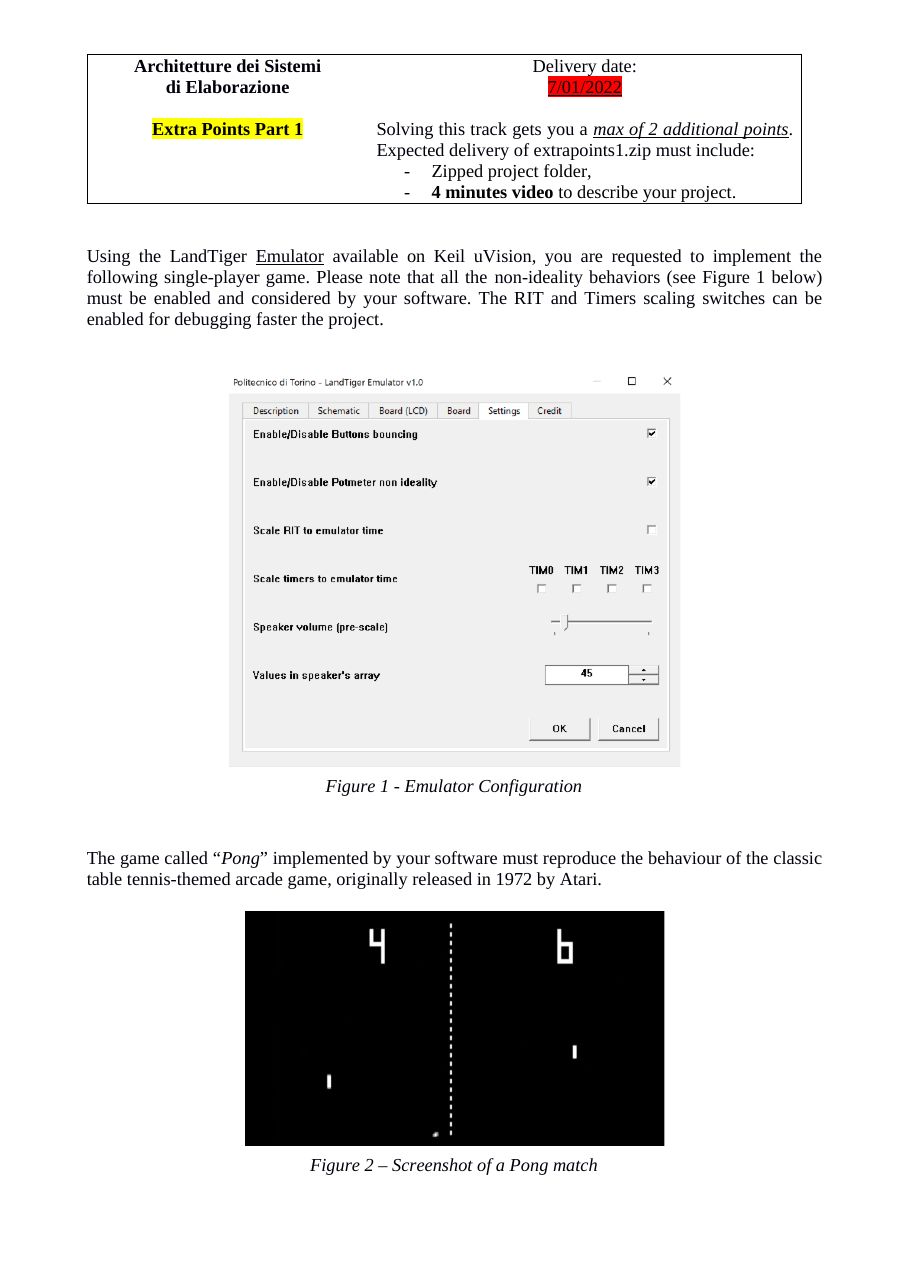
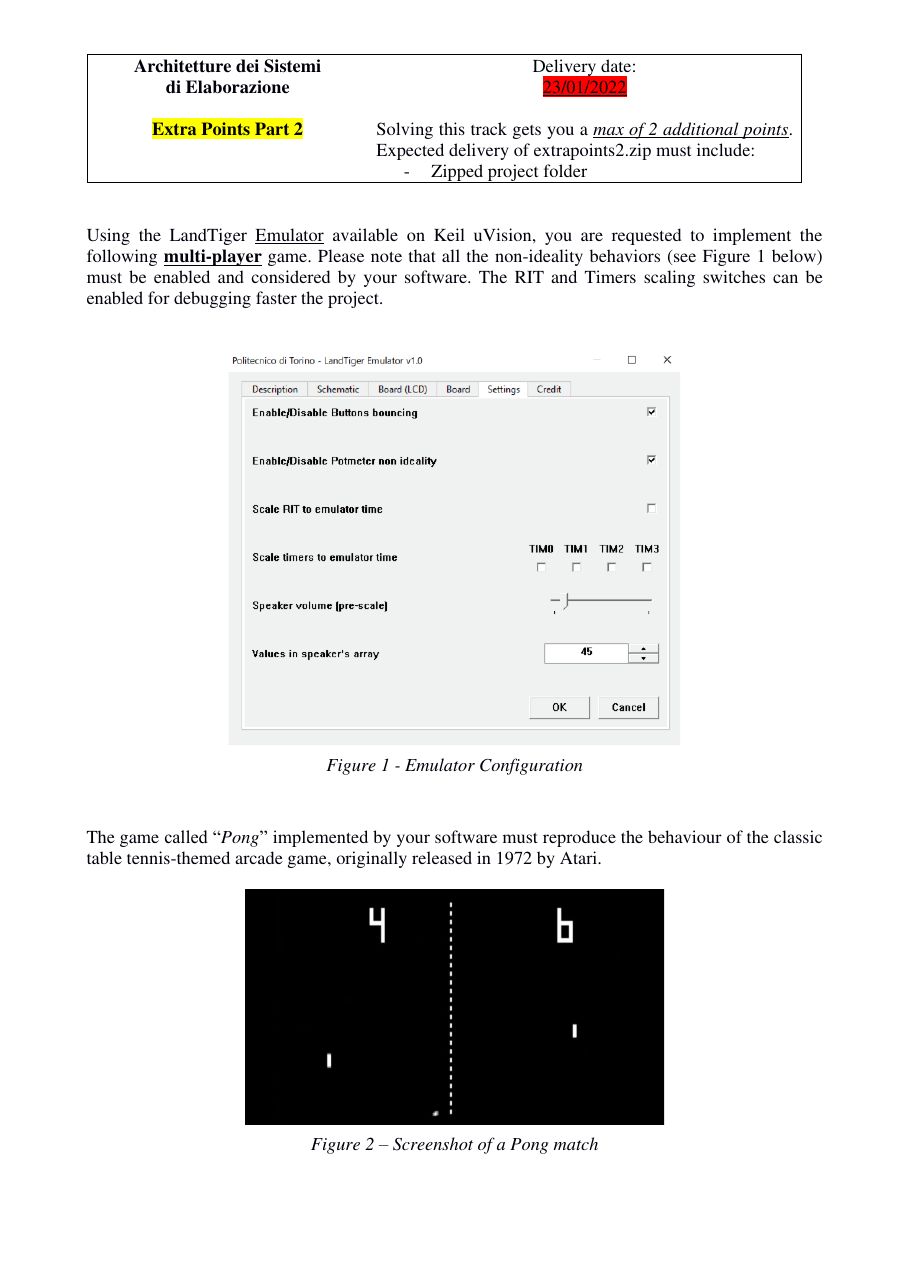
The 1972 Atari table-tennis game on the LANDTIGER display, played with the potentiometer.
| Part | Topic | Delivery |
|---|---|---|
| 1 | Single-player Pong | Fri 07/01/2022 |
| 2 | Two-player Pong vs. automatic paddle | Sun 23/01/2022 |
Part 1 — Single player
- Vertical field with 5 px red walls (left, top, right); the paddle (10 px thick, 32 px from the bottom) is moved by the potentiometer; the ball is 5×5 px.
- Walls reflect the ball at the same angle; the paddle must not always do so — choose a strategy (spin effects earn credit).
- Buzzer: a lower note for wall bounces, a higher one for paddle hits.
- Score +5 per hit (+10 above 100 points), shown on the left at mid height; the record (initially 100) is kept until reset and shown top right. You lose when the ball is missed.
- KEY1 starts (ball leaves the right wall at 45° downwards), KEY2 pauses/resumes, INT0 prepares a new game.
- Deliver the project and a 4-minute video.
Part 2 — Two players
- Add a top paddle for player 2 that moves automatically at constant speed; the bottom paddle stays on the potentiometer.
- Missing the ball gives a point to the opponent; first to 5 points wins, with You win / You lose shown for both. Scores on the left (player 1) and right (player 2).
- Same controls: KEY1 start, KEY2 pause, INT0 new game.
2020/21 — Blind Labyrinth
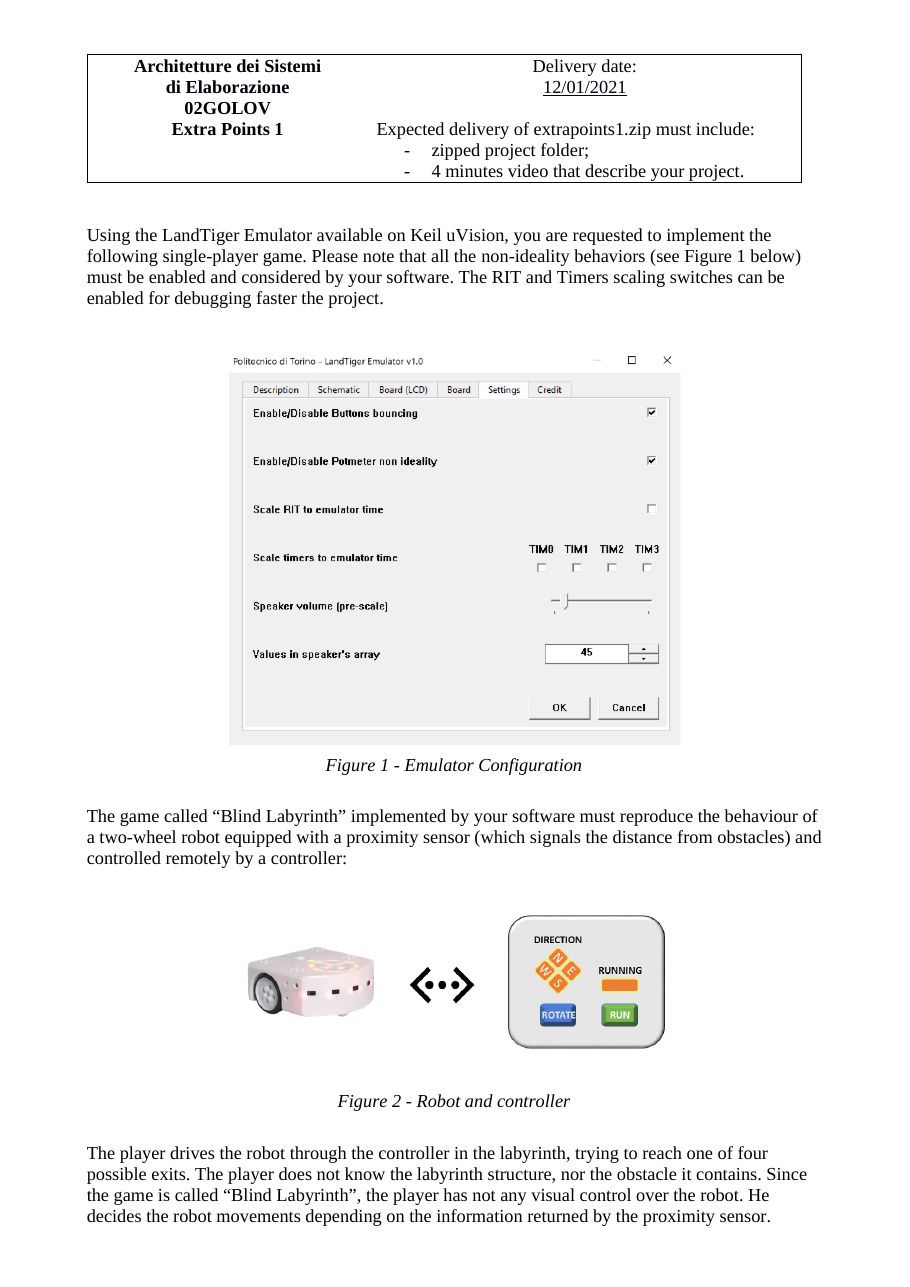
Drive a two-wheel robot out of a 13×15 labyrinth without seeing it, using only its proximity sensor. Admission to the extra points required having delivered at least 75% of the labs.
| Part | Topic | Delivery |
|---|---|---|
| 1 | Robot controller with LEDs and buttons | Tue 12/01/2021 |
| 2 | Joystick + touch-screen controller | Wed 20/01/2021 |
Part 1 — Blind Labyrinth
- Use the emulator with all non-ideal behaviours enabled. The labyrinth is a constant 13×15 matrix (0 = free, 1 = obstacle, 2 = exit); the robot starts at (7,7) facing EAST and moves 1 slot per second.
- LEDs: a running LED (1 Hz while moving, 5 Hz when blocked) and 4 direction LEDs (N/E/W/S). The active direction LED blinks faster as an obstacle gets closer: 2 Hz (3–5 slots), 4 Hz (2 slots), 8 Hz (in front). Perimeter walls count as obstacles, exits do not.
- Buttons: ROTATE turns clockwise (on release), RUN moves while held; INT0 starts the game.
- Reaching an exit makes all LEDs blink at 1 Hz until RESET.
- Deliver the project and a 4-minute video.
Part 2 — New controller
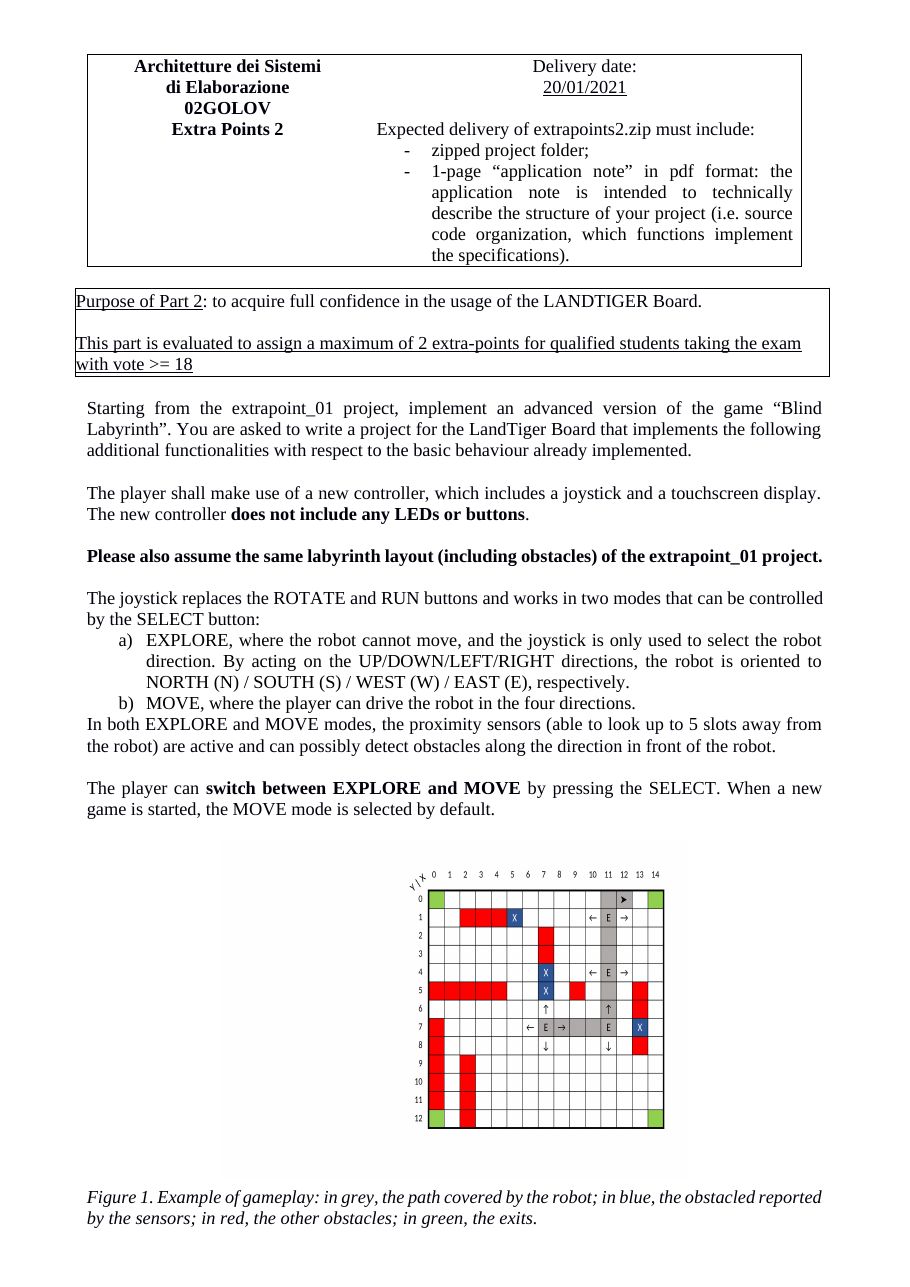
- The joystick replaces the buttons, with two modes toggled by SELECT: EXPLORE (only turns the robot) and MOVE (drives it); the proximity sensor sees up to 5 slots in both modes.
- The touch screen draws the obstacles detected so far and the robot (different colour per mode). Touch the labyrinth to start, RESTART to quit, CLEAR to forget the detected obstacles; an end-game message is shown on exit.
- Deliver the project and a 1-page application note (PDF).
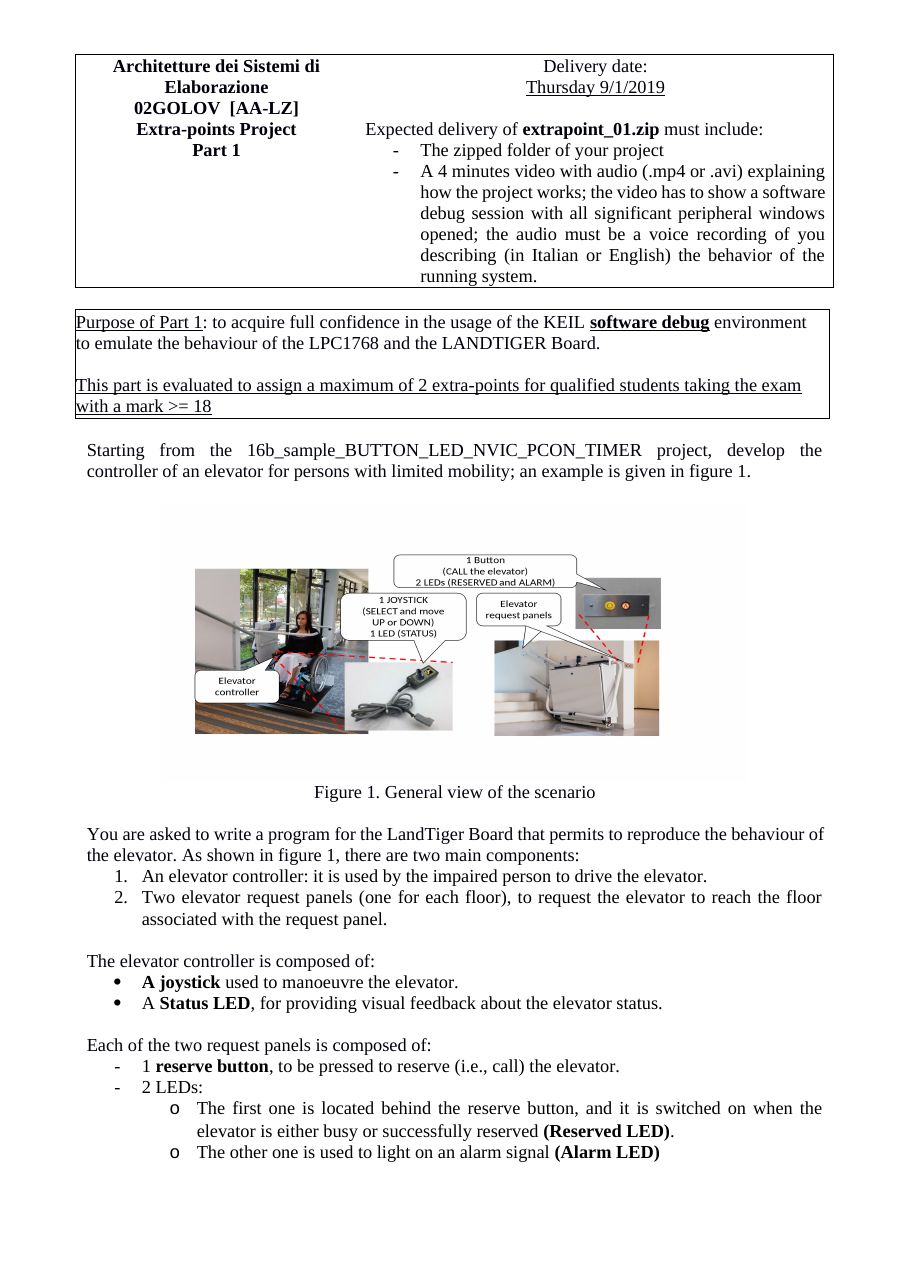
2019/20 — Elevator for people with limited mobility
Control a two-floor platform elevator (8 m, 4 km/h) for wheelchair users.
| Part | Topic | Delivery |
|---|---|---|
| 1 | Elevator controller and request panels | Thu 09/01/2020 |
| 2 | Emergency button, loudspeaker, maintenance mode | Sun 19/01/2020 |
Part 1 — Elevator
- Start from
16b_sample_BUTTON_LED_NVIC_PCON_TIMER. - Controller (inside the elevator): the joystick works only after a reservation and once the elevator is at the user's floor; SELECT activates it, UP/DOWN move it, and the movement can be paused, resumed or reversed at any time.
- Status LED: on when stopped between floors, 2 Hz while moving, 5 Hz for 3 s on arrival, then off.
- Request panels (one per floor): a reserve button calls the elevator; a reserved LED shows it is busy (released after 1 minute without SELECT); an alarm LED turns on if the elevator is stopped between floors for more than 1 minute.
- Deliver the project and a 4-minute video with voice commentary of a debug session.
Part 2 — Emergency and maintenance
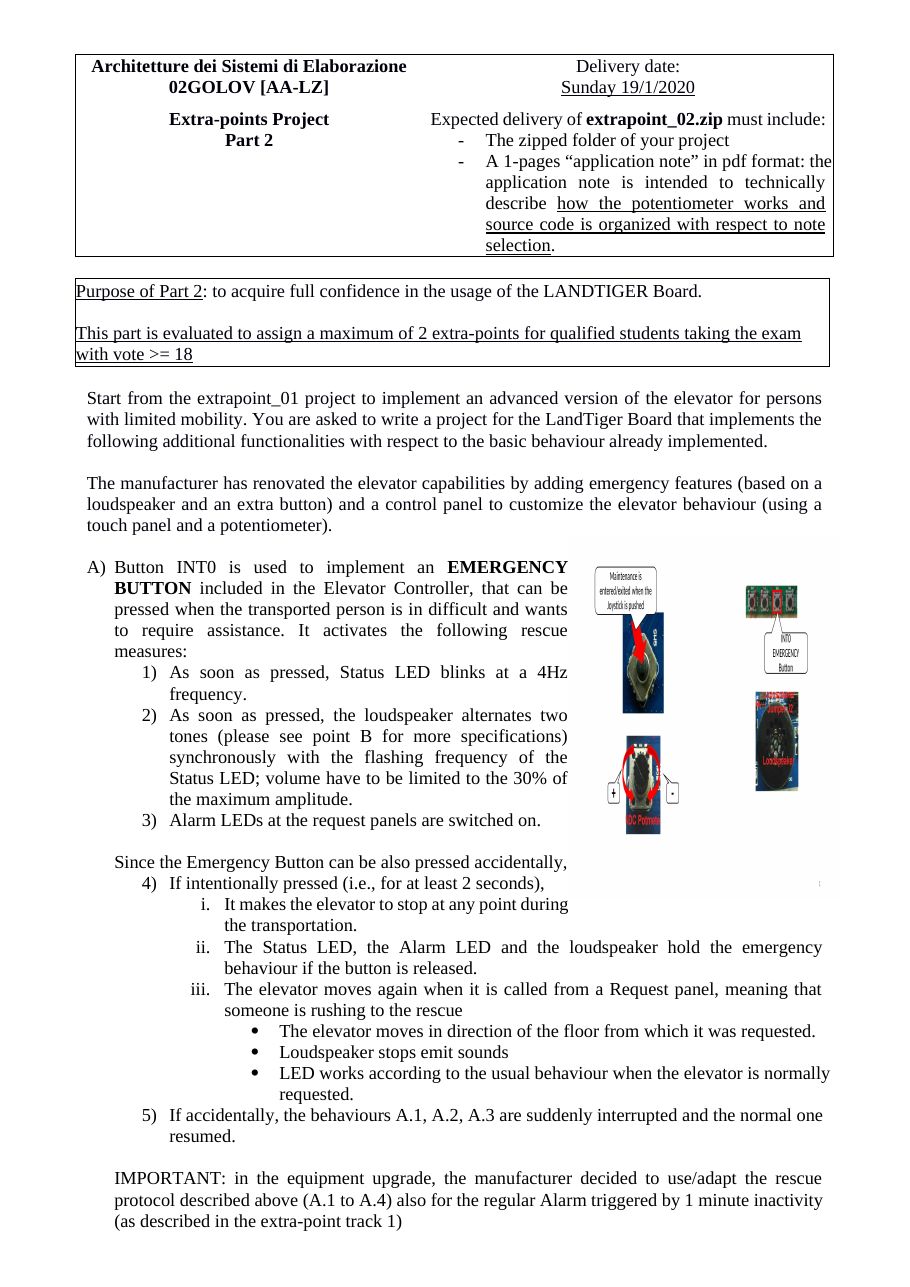
- INT0 is an emergency button: status LED at 4 Hz, the loudspeaker alternates two tones (30% volume) in sync, and the alarm LEDs turn on. If held for 2 s the elevator stops until someone calls it from a floor; a short press is ignored. The same protocol applies to the 1-minute inactivity alarm.
- Maintenance mode (only when idle): a touch-screen menu to choose the two alarm notes, tuned with the potentiometer (default 440 Hz).
- Deliver the project and a 1-page application note (PDF) on the potentiometer and note selection.
2018/19 — Pedestrian crossing semaphore
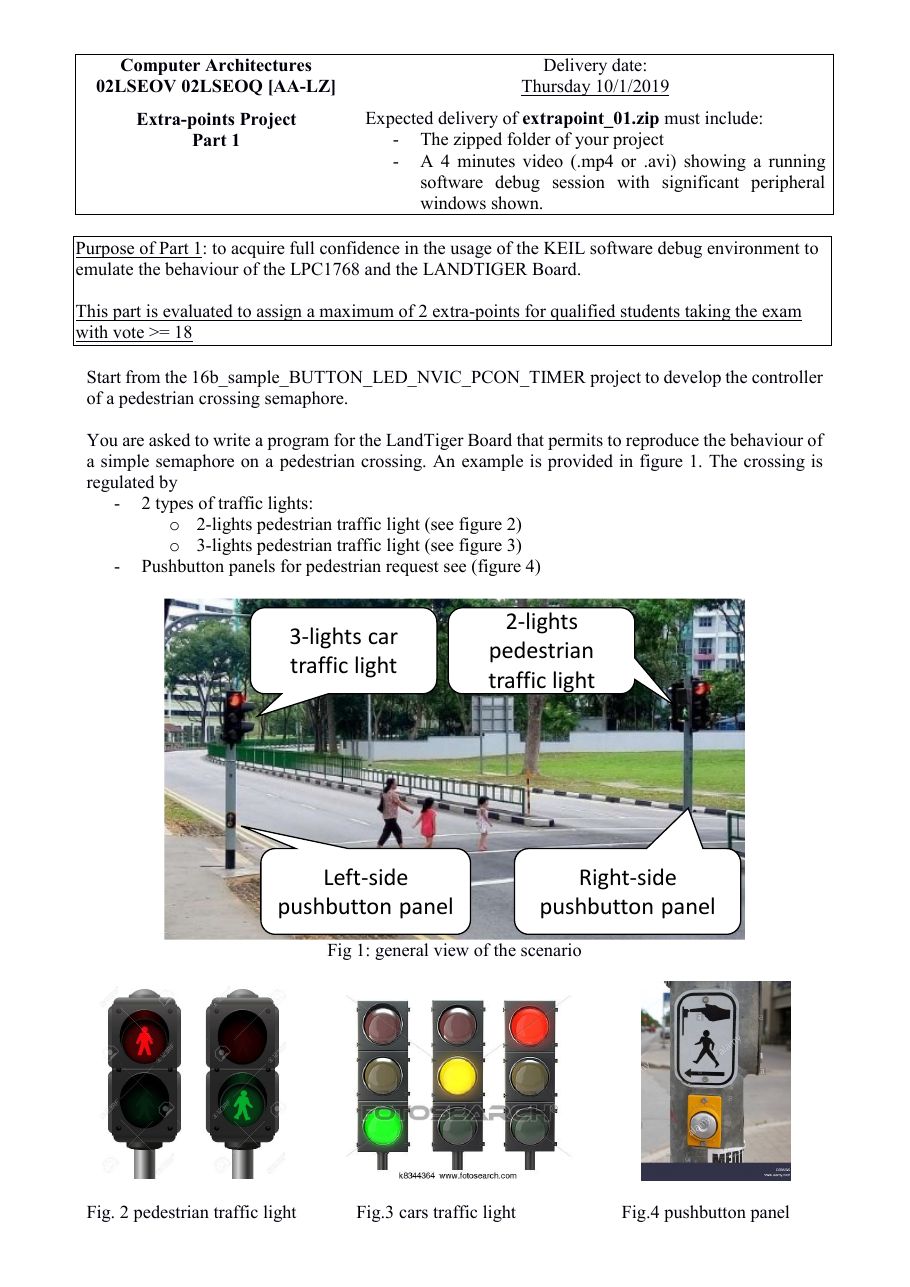
Control a night-time pedestrian crossing (car and pedestrian traffic lights, pushbutton panels on both sides of the road), then extend it for blind pedestrians and maintenance. The project was also the basis of that year's final laboratories.
| Part | Topic | Delivery |
|---|---|---|
| 1 | Traffic light state machine with LEDs and buttons | Thu 10/01/2019 |
| 2 | Blind-pedestrian button, loudspeaker, maintenance mode | Sun 20/01/2019 |
Part 1 — Pedestrian crossing semaphore
- Start from
16b_sample_BUTTON_LED_NVIC_PCON_TIMER; the goal is full confidence with the KEIL software debug environment emulating the LPC1768 and the LANDTIGER. - Implement the given state diagram: cars green by default; a pedestrian request leads to cars yellow (5 s) and red, pedestrians green (15 s) then flashing green (5 s). Pedestrians wait at most 10 s and get 20 s to cross; a new request during green/flashing restarts the timer.
- LEDs: pedestrian light LD4 (red) / LD5 (green, flashing at 2 Hz); car light LD6 (red) / LD7 (yellow) / LD8 (green).
- Buttons: KEY1 and KEY2 are the pushbutton panels on the left and right side of the road.
- Deliver
extrapoint_01.zip(project) and a 4-minute video of a debug session with the relevant peripheral windows.
Part 2 — Blind pedestrians and maintenance
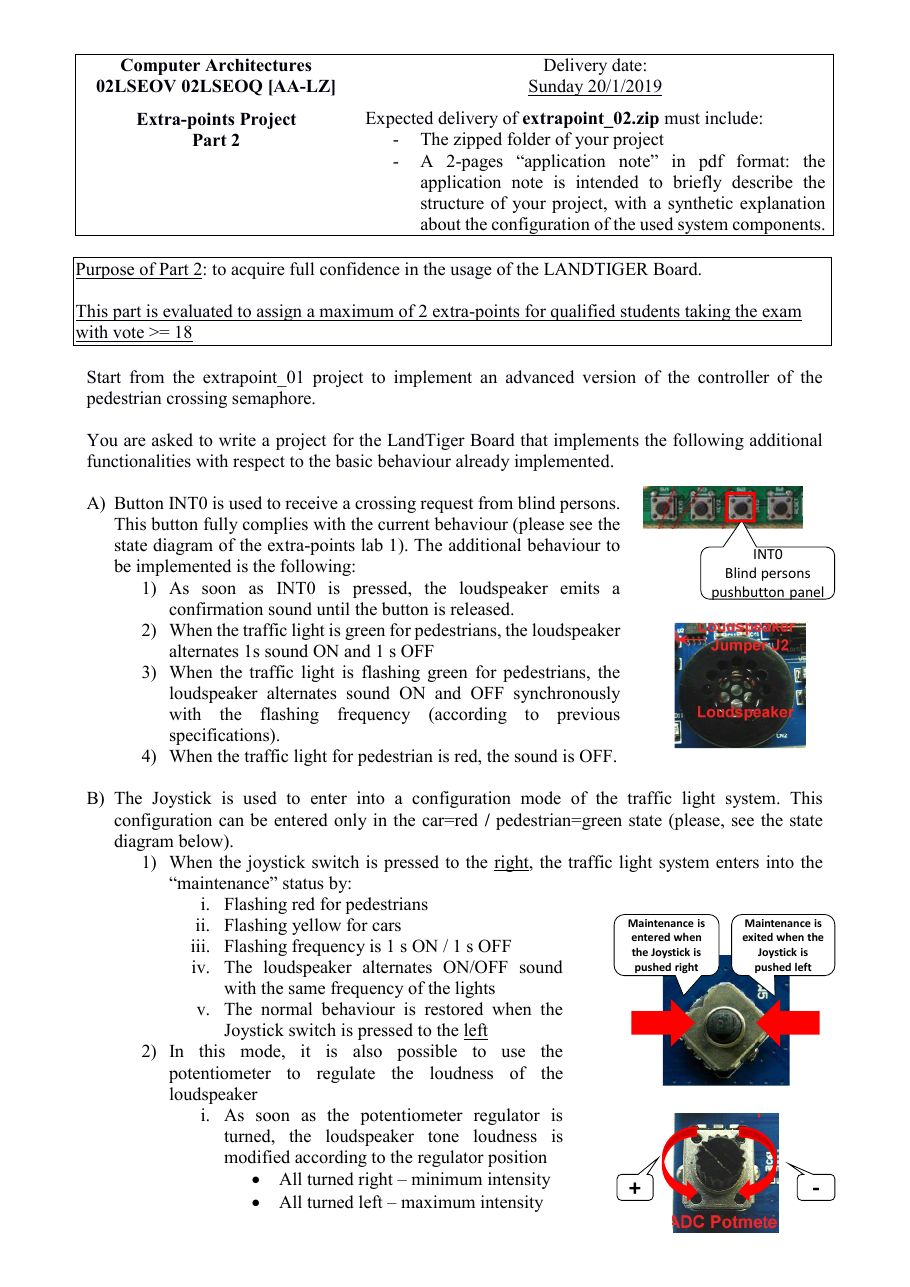
- INT0 is the request button for blind pedestrians (same behaviour as KEY1/KEY2), plus sound on the loudspeaker: a confirmation tone while pressed, 1 s on / 1 s off while pedestrians have green, in sync with the flashing green, silent on red.
- Maintenance mode (only from cars red / pedestrians green): joystick RIGHT enters it — pedestrians flashing red, cars flashing yellow, loudspeaker in sync at 1 s on / 1 s off; joystick LEFT exits back to cars green.
- In maintenance, the potentiometer sets the loudspeaker volume (all left = maximum, all right = minimum), saved when leaving the mode.
- Deliver
extrapoint_02.zip(project) and a 2-page application note (PDF) on the project structure and the configuration of the system components.
Final laboratories 2018/19
The final laboratories were fully practical and built on this project.